New: a one-click demo, a new sign-in page, and apps on every device
HelloCRM can be tried without signing up: at https://app.helloteam.hu/en/demo one press signs you into a demo company full of example data, which resets every night. The app's front page and sign-in page got simpler too, and the plan for apps is set: in the browser today, on Windows, macOS, iPhone, iPad and Android soon.
Published: · By the HelloCRM team
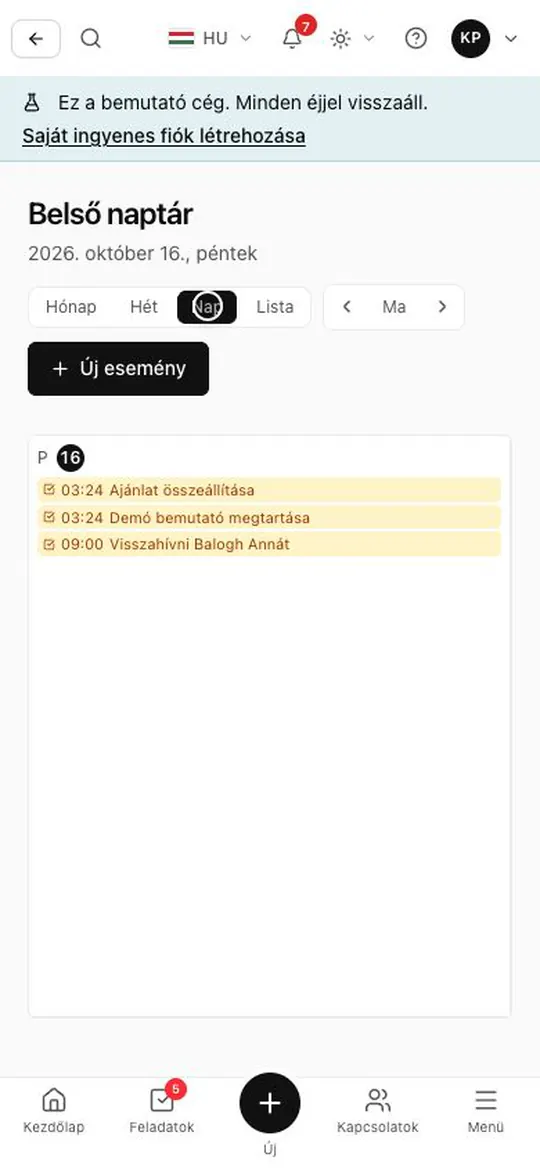
How do I try the demo?
- Open https://app.helloteam.hu/en/demo and press the button: you are signed into an invented company with contacts, deals, quotes and invoices.
- The demo company resets to its original state every night after 3 a.m. Budapest time, so click and change things freely.
- Nothing leaves the demo: no email, SMS, message, call or invitation goes out, and account-level settings (password, billing, API keys, connections, deleting the company) are locked.
- The demo page shows one button: opening it does not start a session, only pressing the button does.
What changed on the front page and at sign-in?
- Signed out, the app's address (app.helloteam.hu) is a short front page: sign in, create an account, try the demo, and a link to helloteam.hu.
- The redesigned sign-in page is easier to scan: the ways to sign in are equals, one "or" separates them, and a panel of its own leads to the demo.
- If a subscriber did not get the confirmation email, or its link expired, it can be sent again from the contact's page, at most once an hour.
Which devices does HelloCRM run on?
Details
HelloCRM is available in the browser today (https://app.helloteam.hu), on a phone too. Apps for Windows, macOS, iPhone and iPad, and Android are coming soon; none is in a store yet. The same account works on all of them, and HelloTeam ERP (https://erp.helloteam.hu) gets the same apps.
The Windows and macOS app and the phone app are being built, but none is in any store yet, and until one is, we link to none. On a phone, the browser works in the meantime.