Why connect your online shop to your CRM?
Because a shop follows the buyer up to the order, and a CRM for the years after. When the two are connected, every order becomes part of a customer's history: one buyer is one record, the order shows up as a deal, and returning buyers can be reached in a targeted way.
Published: · Updated: · By the HelloCRM team
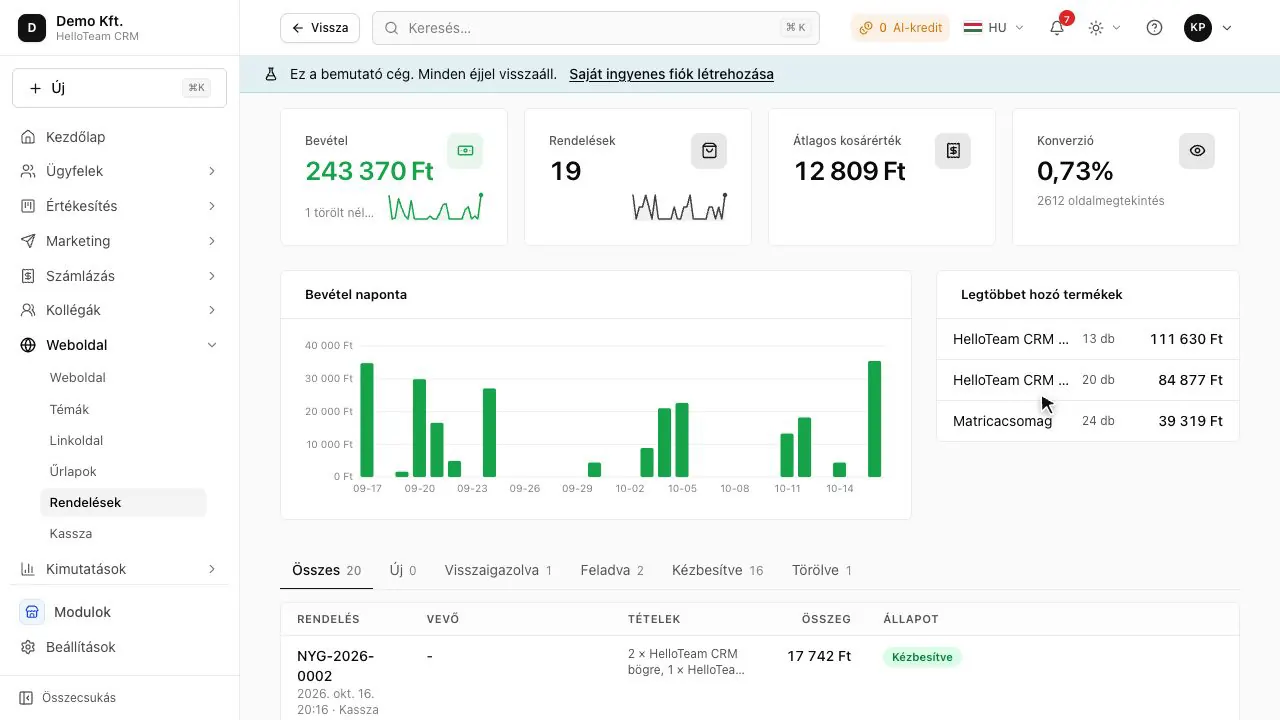
What does the shop do, and what does the CRM do?
Behind a shop are a product catalogue, a cart, stock, delivery options and payment methods; its job is to get the order placed. A CRM follows the person: the calls, the emails, the quotes, the complaints and the notes, for years if need be. A shop is good at selling; it is less good at remembering what you discussed with a buyer on the phone, or what quote they asked you for last autumn.
Without a connection a regular buyer is only a series of separate orders, and nobody sees that the person complaining right now is one of your best customers. Suppose a coffee roaster in Debrecen gets two hundred orders a month: connected, the CRM shows who orders regularly and who has stopped.
What do you gain?
- One buyer, one record, however often they buy.
- Targeted email to people who bought from a product category.
- An order lands in the pipeline as a deal, a complaint at the helpdesk as a ticket.
- On the first purchase a lead becomes a customer, and the change shows in the contact's history.
- A buyer's orders appear as deals on their record too, so you see the whole relationship, not only the last order.
How do you connect the shop to the CRM?
Details
Most shop engines (WooCommerce, Shopify, ShopRenter, UNAS) can send an order webhook. HelloCRM takes them on one signed endpoint, and the same order sent several times is recorded once. No programming is needed:
- Switch on the Webshop module and choose your shop engine.
- Copy the endpoint address and the shared secret.
- Enter them as an order webhook in the shop's admin.
- Place a test order and check it appears as a contact and a deal.
The Webshop module is paid (price coming soon), and can be tried free for 3 days. If you have no shop yet, the Website module builds one of your own with a cart, stock and card payment.
What happens to an order in HelloCRM?
Details
- The buyer is matched or created by email: one buyer stays one contact.
- A phone number from the shop fills a blank field but never overwrites what a colleague typed.
- One order number is one contact and one deal, even on a retry.
- An unsigned request is refused, and an order with no order number is not guessed at.
- Disconnecting a shop keeps its orders.
An external shop keeps its own stock; HelloCRM only moves stock for its own shop and till. So you go on managing products, prices and delivery in the shop; HelloCRM keeps track of who bought, when, and what has happened with them since.
Which buyers are worth contacting again?
Details
Once connected, buyers can be gathered into lists, and behind each list there is always the same single record. A few common ideas for a smaller shop:
- People who bought once and not since: a short email reminds them you are still there.
- Regular buyers: a new product or a refill is likely to interest them sooner.
- Someone who complained: a personal call is worth more than a campaign email.
Send campaign email only to people who have demonstrably agreed to it; what that means in your case is covered by our article on email marketing under the GDPR, and by someone who knows data protection.
Where to read on
Questions
Does connecting need programming?
No: you enter the endpoint address and the secret as an order webhook in the shop's admin.
What if the shop sends the same order several times?
It is recorded once: one order number stays one contact and one deal.
Does HelloCRM manage the external shop's stock?
No: an external shop keeps its own stock.